The gamedev secret: 90 locations in record time using AI
For the past year we’ve been actively experimenting with AI in game development – testing where it actually helps, where it slows things down, and where human touch remains essential.
After our previous project with the game Guess Mess, where we explored AI-generated puzzles, our team decided to push things further. This time we focused on something more production-heavy: creating full game locations using generative AI. The project became another successful step in our ongoing collaboration between AI development company QuData and gamedev studio Absolutist.
The concept for the scenes
When people imagine AI in game development, they often picture a system that generates entire levels with a single prompt. In reality, the process is far more collaborative. Artificial intelligence becomes a powerful part of the artist’s toolkit – assisting with ideation, speeding up production, and expanding creative possibilities.
This approach was used while developing the levels for a hidden-object game – Hidden Objects Getaway. Over the course of the project, our team created 90 unique locations across 9 chapters, each containing 10 scenes. While AI played a major role in accelerating production, every image still started with a human idea and clear artistic direction.
Each game location had to evoke a distinct atmosphere – cozy, mysterious, colorful, futuristic, or slightly gloomy. Our artists first imagined the concept: what the place should look like, what objects might appear there, and what emotional tone the scene should convey. Once the idea was clear, AI tools were used to generate the base visuals and accelerate the environment design process.
Interestingly, the focus was not so much on extremely complex prompts. Instead, we experimented with combinations of models, reference images, and stylistic presets available within the generation platform. These presets allowed artists to quickly shift the mood of a scene. For example: cartoon-style elements created bright, playful environments; rainbow-core styles produced colorful fantasy-like scenes; sci-fi aesthetics resulted in colder, futuristic locations.
This is why some scenes feel vibrant and whimsical, while others appear darker or more atmospheric. To improve prompt quality, our artists often studied prompts from images they liked in the platform’s public gallery, adapting them to their own art.
Selecting tools and working with their limits
Early in the project we settled on a two-tool combo:
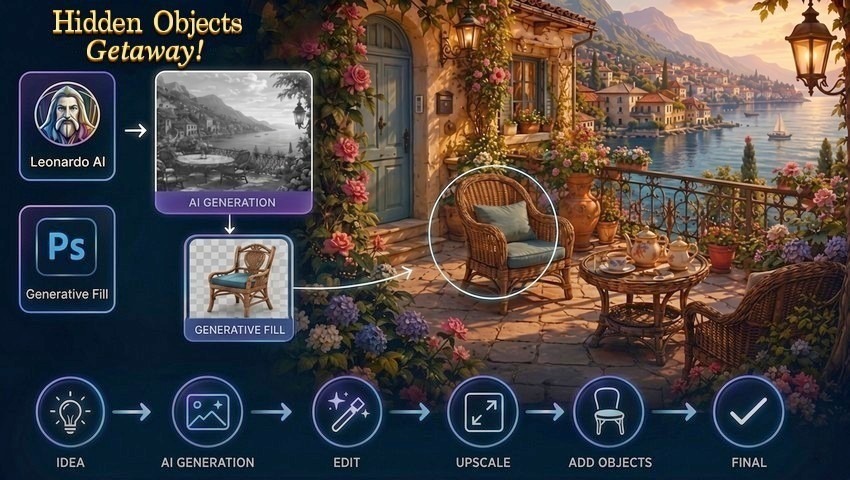
- Leonardo AI – for generating location backgrounds
- Adobe Photoshop Generative Fill – for creating objects and editing the scene
Leonardo stood out for its clean results and quick iteration cycles. Photoshop Generative Fill complemented it perfectly by letting us add and blend individual objects directly into finished backgrounds. However, the tools had very different personalities. While Leonardo felt precise and responsive, Photoshop’s results were often softer and less detailed, requiring more careful guidance and cleanup.
We quickly realized that free tiers wouldn’t suffice for serious production. Upgrading Leonardo to even the basic paid plan (around $12) made a noticeable difference in both quality and generation volume. Photoshop, on the other hand, had much tighter restrictions. New users got roughly 40 generations per month, while older subscriptions offered a bit more (around 100+). In practice, that was barely enough for two or three full locations, especially since so many attempts ended in weird artifacts or complete nonsense.
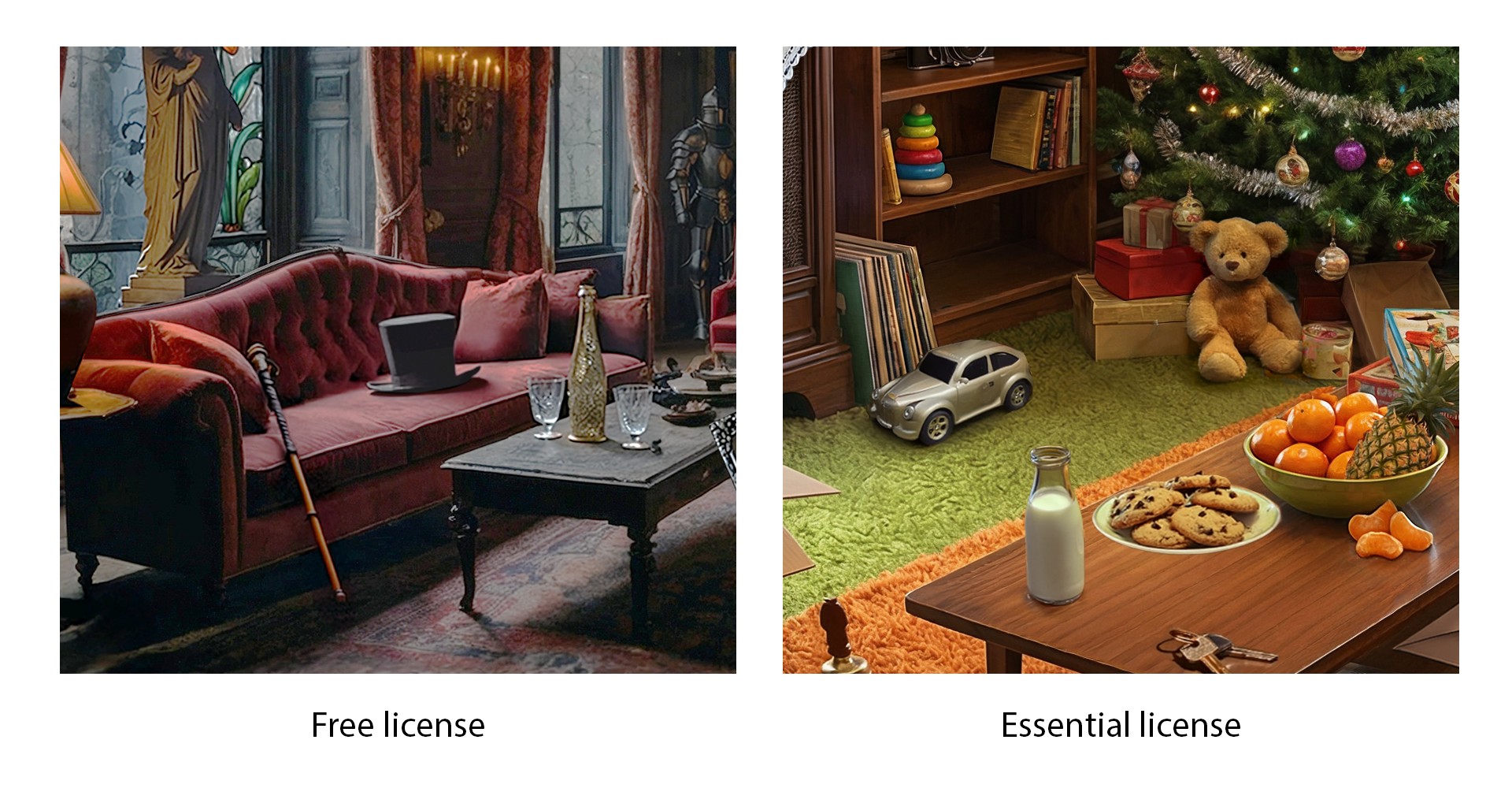
Some objects proved particularly difficult – the model simply couldn’t understand what we wanted, regardless of phrasing. This forced us to be extremely selective with Photoshop tokens and patient with the trial-and-error process.
Building the AI workflow
Although the final images appear polished, they were created through a multi-step pipeline combining several tools.
1. Generating early concepts
The process started in Leonardo AI, where artists generated early versions of the location. These initial images were often low-quality drafts used primarily to test:
- composition
- scene structure
- lighting
- atmosphere
At this stage the prompt was intentionally simple. The goal was to quickly explore variations until the composition felt right.
cozy Italian city center with houses and cafe with tables in Italian style, gold light and atmosphere of happiness, home and joy.
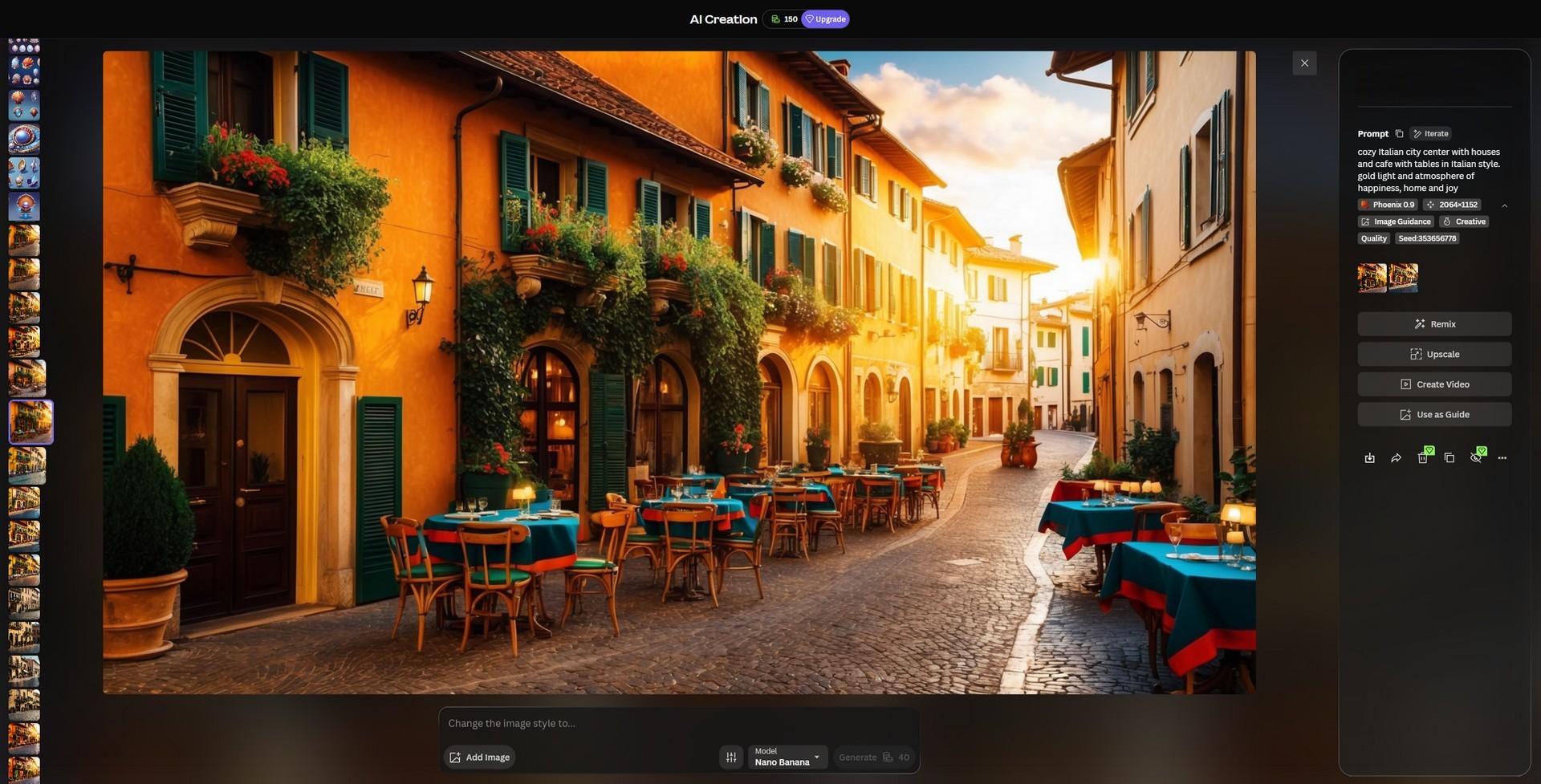
Once a propitious image appeared, the artist increased the generation quality and reused it as a reference for new iterations. This helped the AI produce a cleaner and more refined version of the same concept.
2. Cleaning and expanding the background
When a background image looked promising, it was moved into Photoshop for editing. Here artists would:
- remove generation artifacts
- fix visual glitches
- extend the background to improve framing
- adjust colors and lighting
Photoshop’s Generative Fill was also used to expand missing parts of the scene. However, compared to Leonardo AI, Photoshop sometimes produced less detailed and slightly blurred results.
At the same time, it tended to rely on the quality of the base image. The better the original background, the better the generated elements looked.
3. Upscaling the environment
After cleanup, the image was resized and processed through an AI upscaler. Two versions were typically generated:
- one with lower detail enhancement
- one with higher detail enhancement
Both versions were enlarged 2×, producing sharper assets for the game. The artist then returned to Photoshop and combined the best fragments from multiple versions of the image to create the final background.
If necessary, additional artifact cleanup was performed. At this point, the environment background was complete.
Generating objects inside the location
The next step was populating the scene with objects. Instead of generating them separately, the team used Photoshop’s Generative Fill directly within selected areas of the image.
The workflow looked like this:
- Select an area of the image using lasso or rectangular selection.
- Leave extra space around the object so it blends naturally.
- Write the name of the object as the prompt (for example: a chair, a lantern, a stained glass window).
Interesting fact: the language used in prompts sometimes affected the result quality. Our artists noticed that certain objects were generated better in Ukrainian, while others worked better in English.
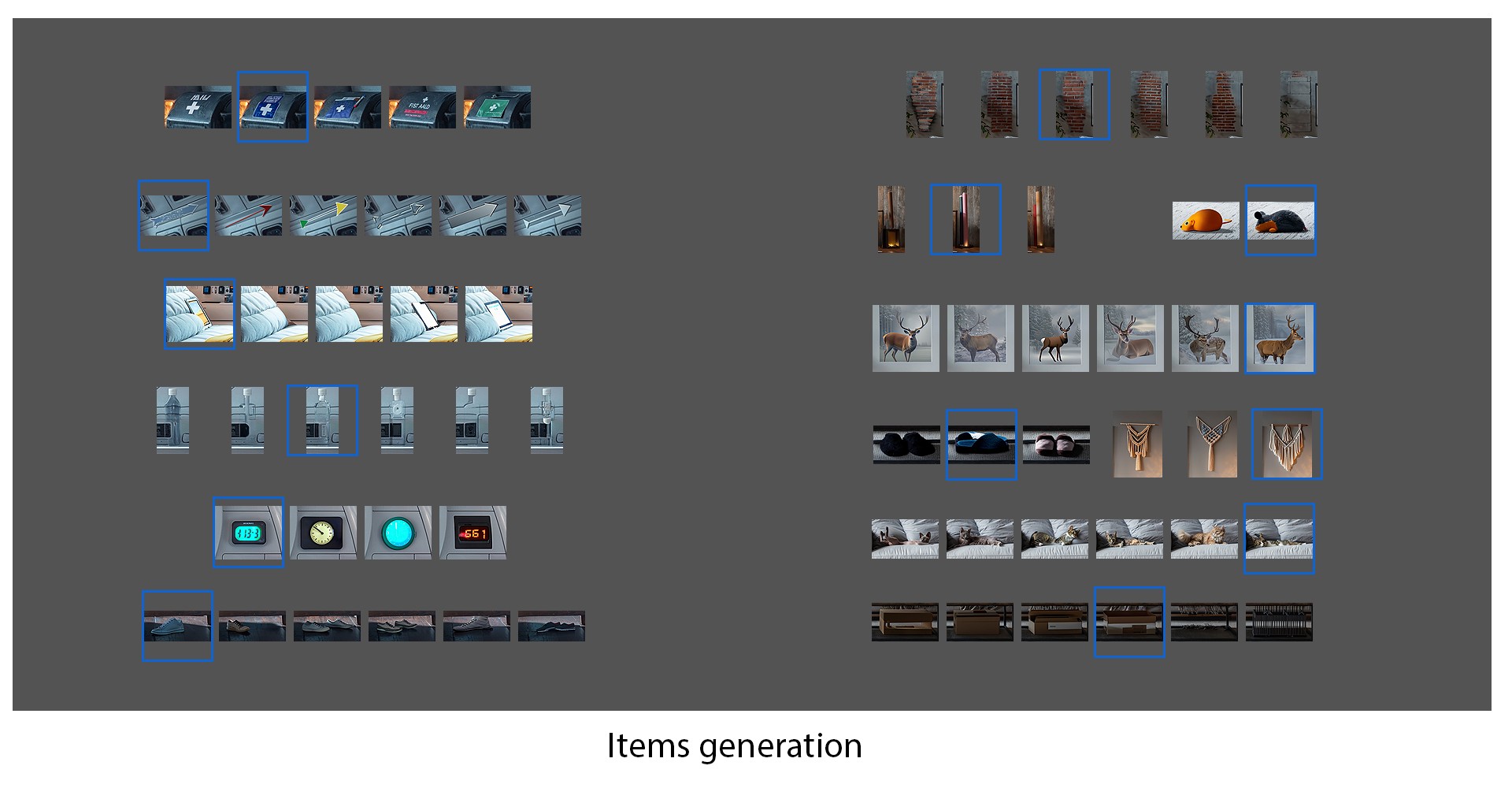
To help the model understand difficult objects, artists sometimes inserted a cropped image from another source as a visual hint.
Teaching the AI during generation
Another interesting discovery was that the AI could gradually improve during the process. If artists deleted poor generations and kept only successful ones, the system began producing results closer to what was expected.
This created a kind of informal “training effect” where the model adapted to the artist’s visual choices. Photoshop was also frequently used to remove generation bugs, such as distorted shapes or misplaced textures.
The outcome
By the end of development we had a complete set of 90 handcrafted AI-assisted locations, each designed with a specific mood, theme, and gameplay purpose. The estimated time allocated for each location was about 8 hours, and 60-70% of that time was spent on background creation with AI assistance.
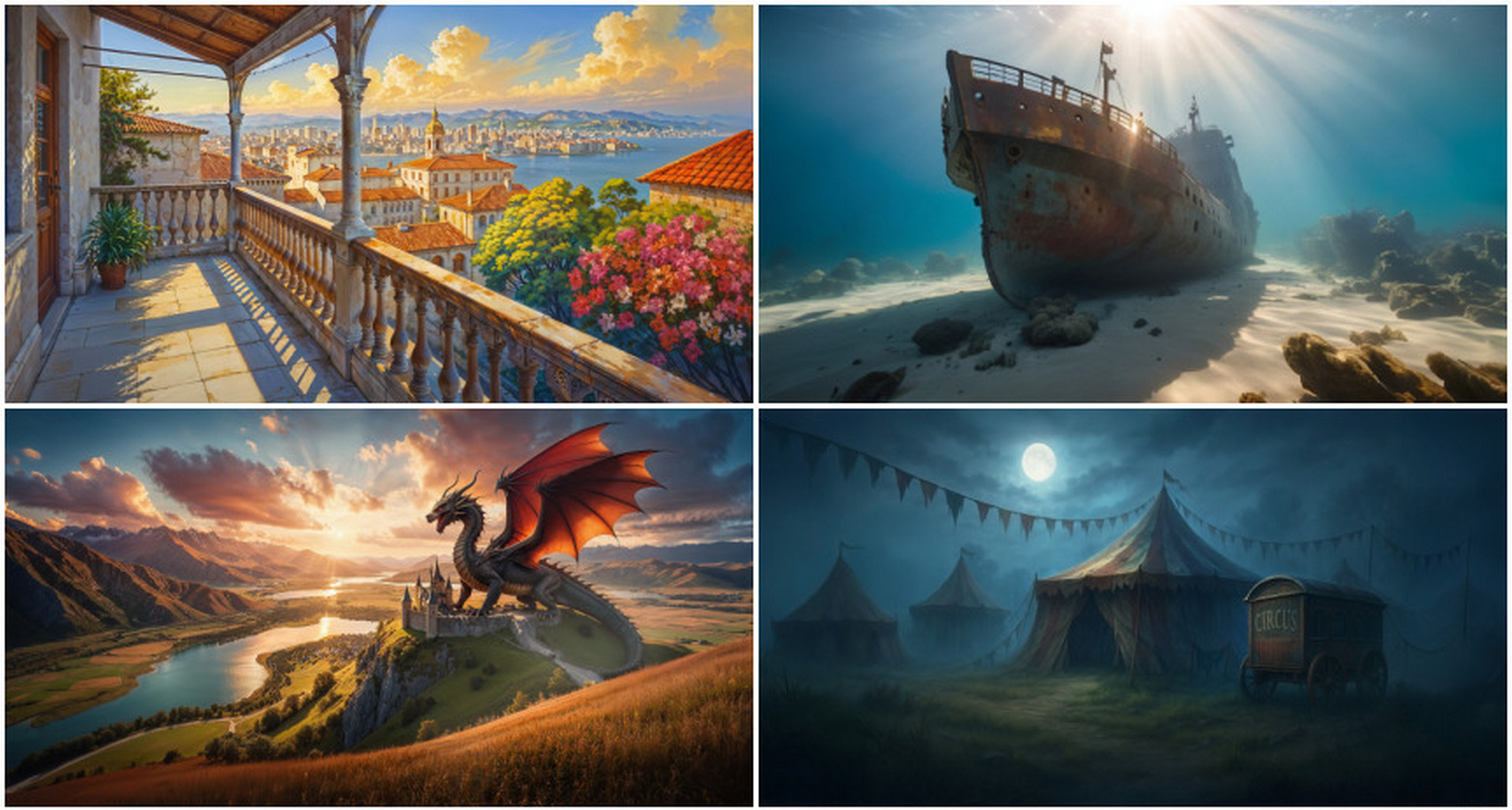
The AI portion let us explore more visual directions than a purely manual schedule would have allowed, while our artists retained full control over concepts and final polish. The approach proved especially valuable for maintaining variety across so many locations.
This workflow is very different from classic hidden-object pipelines with 3D scenes, manual asset placement, heavy post-processing, etc. So it’s not a direct comparison – it’s a different approach altogether. But in modern game development, the most effective approach is not choosing between spicialists and AI – but combining human creativity with generative technology to get results faster than ever before.
We’ll keep sharing what works, what doesn’t, and where AI still needs a lot of help. Meanwhile, you can check out the results of this collaboration between AI and our gamedev team in the free mobile game Hidden Objects Getaway!

Absolutist team